Ascend Academic
Jun 29, 2026
Paper to Digital: Evaluations Made Easy in Ascend Academic
Discover two simple ways to set up Evaluations in Ascend Academic — whether you’re starting from scratch or want to fast-track your setup using templates from the "Ascend Community" - our shared organization and repository. This is a high-level overview to get you started and to offer a refresher for those who are already using the feature. See how our built-in evaluations tools make grading more consistent, transparent and efficient for both faculty and students.
Key Takeaways
- Build your own grading schemes and evaluation forms from the ground up.
- Access and copy pre-built forms from the shared repository to jump-start your setup.
- Create and personalize evaluation forms that match your program’s requirements.
- Simplify faculty grading and student performance tracking in one place.
Summary
Still managing student evaluations on paper? You’re not alone—but there is a better way. In our recent webinar, we explored how Ascend Academic’s Evaluations feature helps institutions digitize assessment workflows, simplify grading, improve reporting, and gain more meaningful insights into student performance.
From custom grading schemes and reusable templates to faculty-friendly workflows and enhanced student progress tracking, Ascend Academic makes it easy to move from paper-based evaluations to a modern digital experience.
From Paper to Digital: A Smarter Way to Manage Evaluations
For many academic programs, evaluations are still tied to paper forms, spreadsheets, and manual calculations. While these methods may be familiar, they often create unnecessary administrative work, limit reporting capabilities, and make it difficult to track student progress over time.
As institutions continue to modernize their operations, evaluation management is becoming an important area for digital transformation.
That’s exactly what we explored during our webinar – Paper to Digital: Evaluations Made Easy where we demonstrated how schools can use Ascend Academic’s Evaluations feature to create, manage, and analyze assessments in a more efficient and meaningful way.
Building Evaluations That Work for Your Program
No two programs assess students in exactly the same way. That’s why Ascend Academic offers great flexibility when creating evaluations. Schools can choose to build evaluation forms entirely from scratch creating customized grading structures, assessment criteria, and workflows that align with their unique requirements.
For those looking to get started faster, pre-built templates are also available. These templates are based on evaluation forms used by dental hygiene and dental assisting programs within the Ascend Community repository. Schools can use these proven examples as a starting point and easily customize them to align with their own curriculum and evaluation standards.
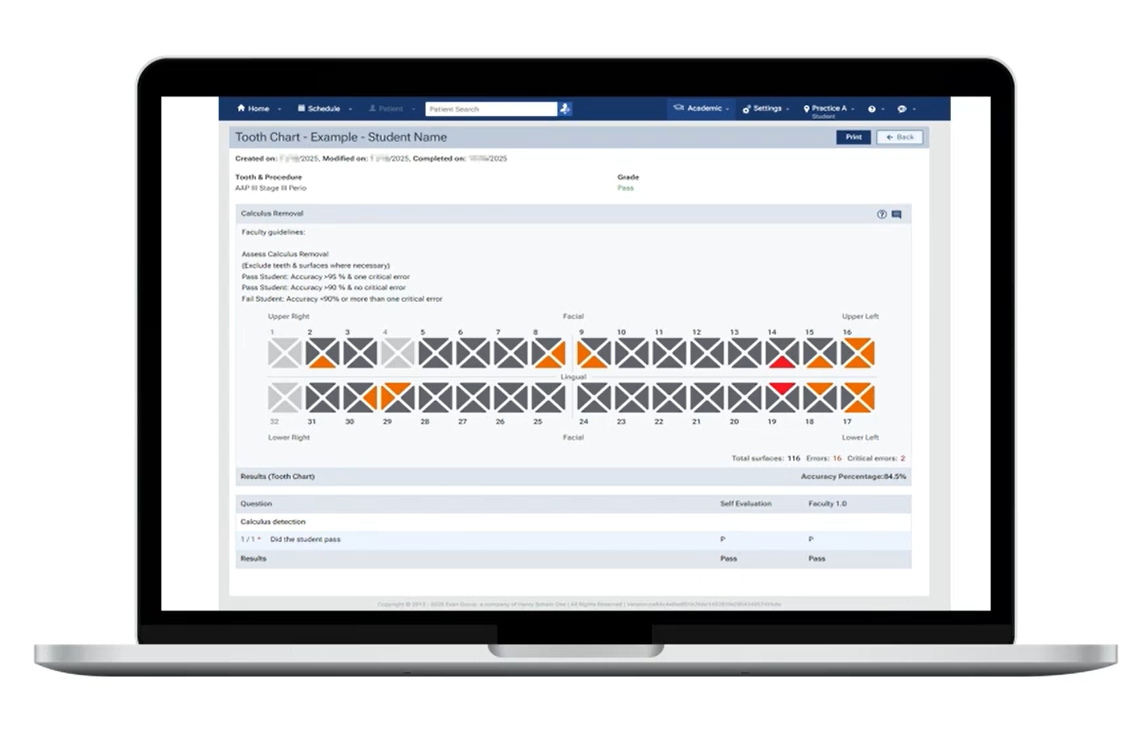
(Ascend Community Repository – Tooth Chart Example)
For programs looking for inspirations, Ascend Academic also provides access to a growing library of community-created evaluation templates. Developed by institutions actively using the platform, these templates offer a practical starting point that can be customized to fit specific program needs.
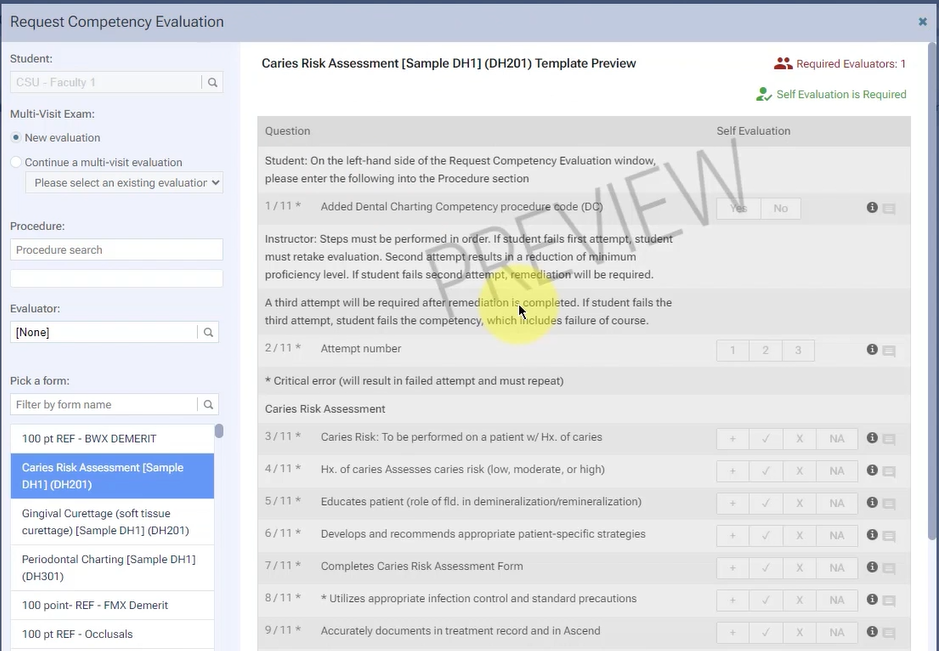
(Ascend Community Repository – Risk Assessment Template)
Whether you’re designing a new assessment process or transitioning existing paper forms into a digital environment, the platform provides the flexibility to support your approach.
Reimagining Grading with Flexible Evaluation Options
One of the most valuable aspects of digital evaluations is the ability to create grading systems that accurately reflect student performance. Within Ascend Academic, institutions can choose from multiple grading schemes:
Pass/Fail Evaluations
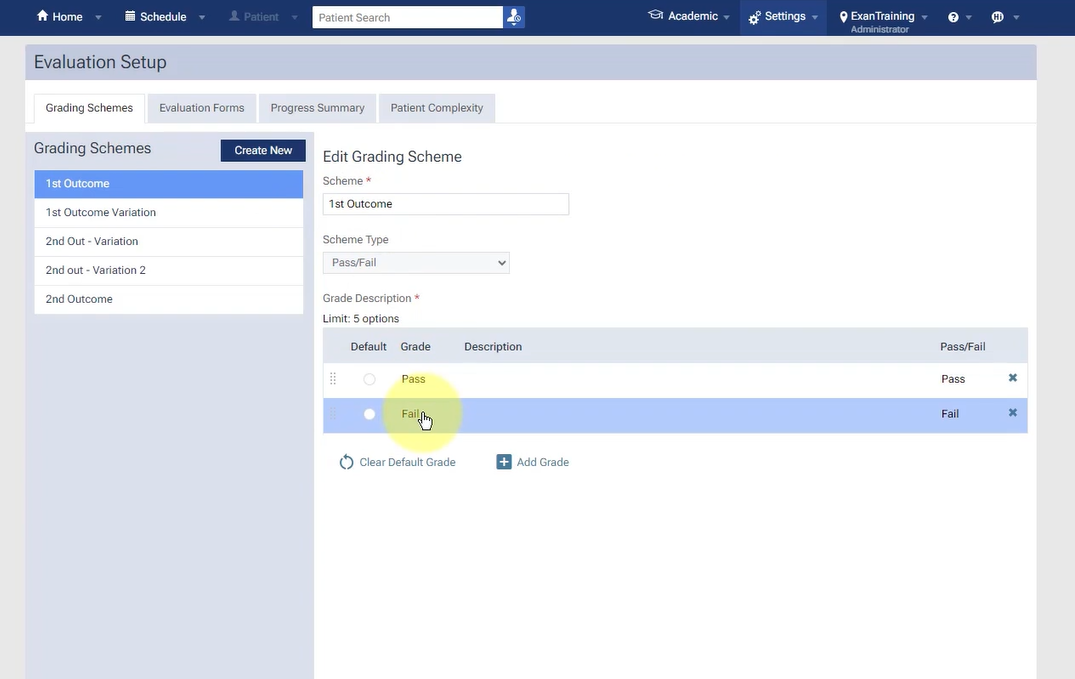
(Ascend Academy Grading Schemes – Pass / Fail Evaluations)
Simple pass/fail evaluations allow faculty to quickly assess competency-based tasks and clinical requirements. Programs can customize terminology to match their preferred language, such as:
- Pass / Fail
- Competent / Not Meeting Competency
- Clinically Acceptable / Clinically Unacceptable
This approach is especially useful for evaluating essential skills where successful completion is the primary objective.
Demerit-Based Grading
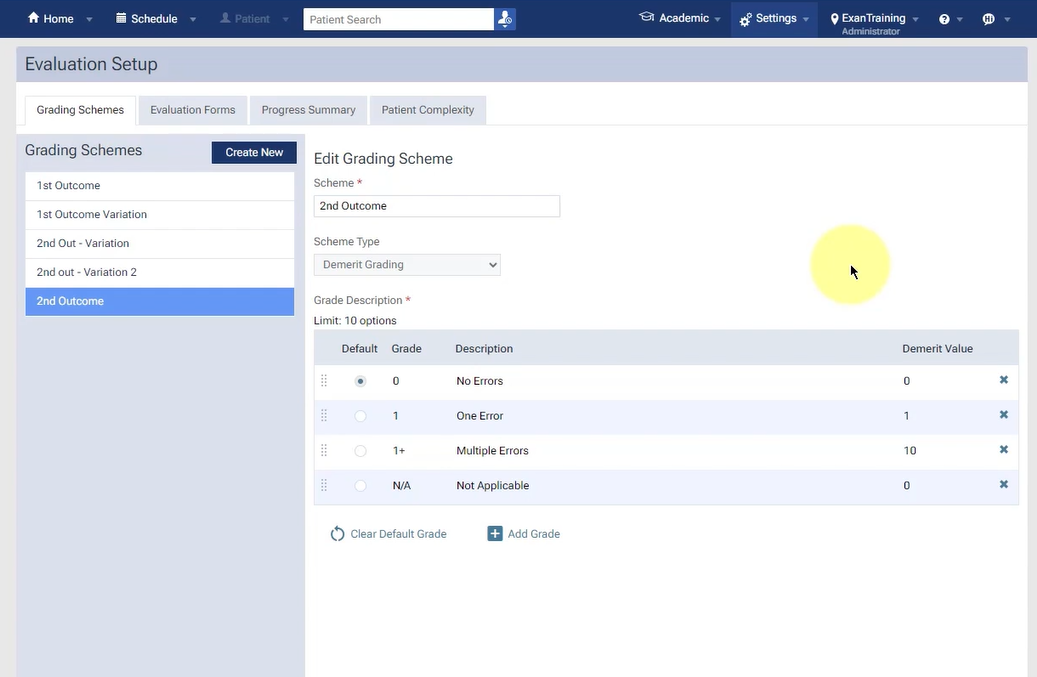
(Ascend Academy Grading Schemes – Demerit-Based Grading)
For programs that require more detailed performance measurement, demerit-based grading provides additional flexibility.
Educators can assign total point values, establish passing thresholds, and define point deductions for specific assessment criteria. Critical questions can also be flagged to automatically trigger a failed evaluation if key competencies or safety requirements are not met.
Making Life Easier for Faculty
Faculty members often spend significant time completing evaluations, particularly when working with lengthy assessment forms. Ascend Academic includes several features that help reduce administrative effort, including:
- Default answer selections
- Preconfigured grading schemes
- Comment fields for individual questions
- Final evaluator feedback sections
- Support for multiple evaluators
- Clinical tools such as tooth chart integration
These capabilities help faculty focus more on providing quality feedback and less on managing paperwork.
Beyond Grading: Understanding Student Performance
Digitizing evaluations does more than eliminate paper—it unlocks valuable insights. During the webinar, we also highlighted the improvements to the Student Progress Summary experience.
These enhancements provide a clearer picture of student achievement by displaying:
- Average evaluation scores
- Pass/fail indicators
- Exportable CSV reports
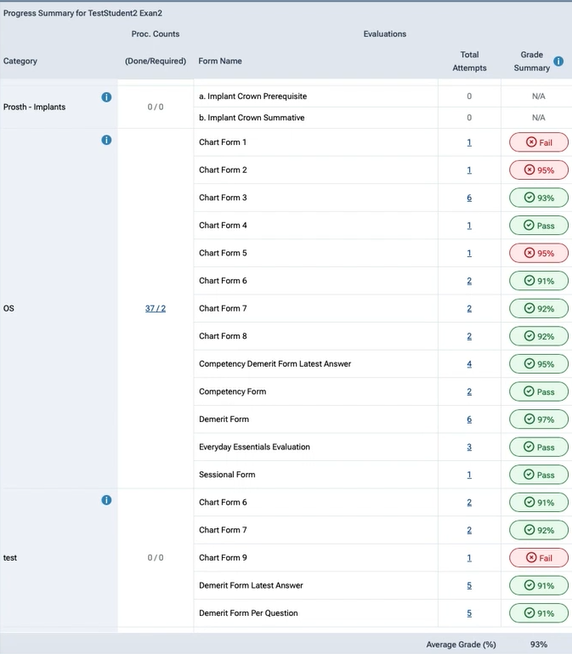
(Progress Summary for Student in Ascend Academy)
With better visibility into performance data, faculty and administrators can identify trends, support student success, and make more informed decisions.
Using Patient Complexity to Strengthen Clinical Assessment
For clinical and dentalcare-focused programs, evaluating performance often requires additional context. Ascend Academic offers the ability to incorporate patient complexity into evaluation workflows, helping programs better understand the types of clinical experiences students encounter throughout their education.
Institutions can choose whether patient complexity tracking should be optional or required and determine how it fits within their reporting strategy. This flexibility ensures that schools can configure the feature in a way that supports their educational outcomes.
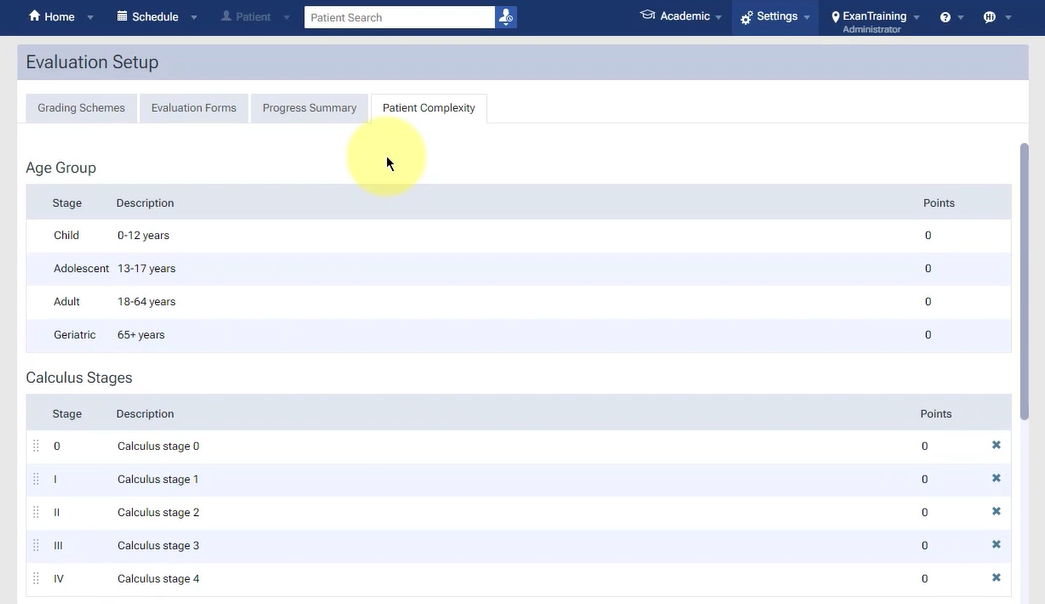
(Patient Complexity Tracking Set-up)
Learning at Your Own Pace
Implementing a new evaluation process can feel overwhelming, especially when transitioning from paper-based systems. To help institutions get started with confidence, Ascend Academic offers a dedicated e-learning course through Skilljar.
Dedicated modules include:
- Grading schemes
- Form set-up
- Progress summary
- Evaluating students
- Reporting options
Participants can return to the content anytime, making it a valuable ongoing resource rather than a one-time training session.
In addition, users gain access to specialized tools such as a Demerit Grading Calculator and a Patient Complexity Decision Flow, helping simplify decisions during implementation.
Submit your ticket to register for Ascend Academic Essentials: On-Demand Training!
The Future of Evaluations Is Digital
Moving evaluations from paper to digital goes than convenience. It’s about creating processes that are scalable, consistent, and data driven. With customizable evaluation forms, flexible grading options, built-in reporting, community templates, and ongoing learning resources, Ascend Academic provides institutions with the tools they need to streamline assessment workflows and improve student success.
Whether you’re just beginning your digital transformation journey or looking to enhance an existing evaluation process, the evaluations feature makes it easier than ever to modernize the way you assess learning.
Ready to leave the paper behind? Discover how Ascend Academic can help you create more efficient, insightful, and impactful evaluations.